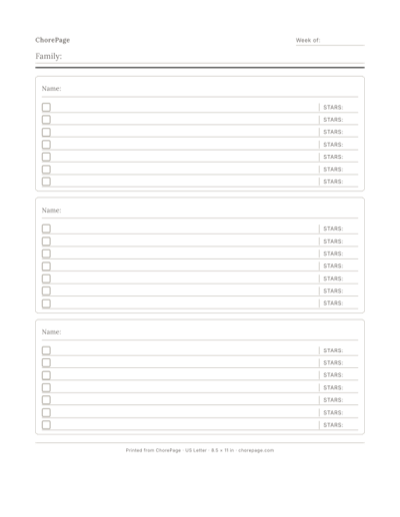
Blank rotating chore chart for three people
A weekly Everyone grid and three personal Habit sections for handwritten sibling turns.
Home / A rotating chore chart that makes everyone’s turn visible
A rotating chore chart lists shared jobs, the people who can do them, and whose turn falls on each day. Keep shared responsibilities in an Everyone section and each kid’s own habits in a separate named section. The paper gives the family a place to check the plan.
You can fill in the free template by hand. Choreeo can also save your family’s habits and work out shared turns for a personalized printout. Kids use the printout; grown-ups update the chart on the web.
A weekly Everyone grid and three personal Habit sections for handwritten sibling turns.
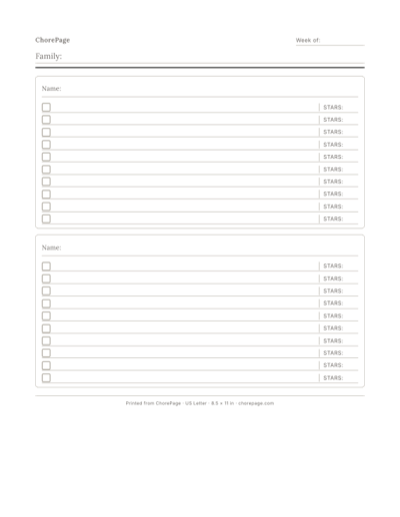
Shared Everyone jobs above two blank personal Habit sections. Write in names and turns.
Choose a job more than one kid can do with the help available. “Clear the dinner table” is a clearer starting point than “clean the kitchen.” Decide what finished looks like together. A younger kid might carry napkins while a grown-up handles hot or breakable dishes.
A rotation shares the turns for one job. It does not prove that every kid has an equal workload: age, time, ability, and the effort each job takes still matter.
This example gives one dinner-table turn to Mira, then Theo, then Cal, and repeats. These are fictional names. Write the next person after the last completed assignment when you prepare the next page; always restarting with Mira would change the pattern.
| Day | Dinner table | Why |
|---|---|---|
| Monday | Mira | First turn |
| Tuesday | Theo | Next person |
| Wednesday | Cal | Next person |
| Thursday | Mira | Repeat the same order |
| Friday | Theo | Continue |
| Saturday | Cal | Continue |
| Sunday | Mira | End of this paper window |
| Next Monday | Theo | Continue the sequence across pages |
Write the week or dates at the top. Add shared jobs under Everyone. In each day cell, write the name or initials of the person taking that turn. Add names and individual habits in the sections below. Choose a small number of jobs first; empty rows can stay empty.
If everyone owns a job for several days, repeat that person’s initials for that stretch before moving to the next person. For a job that happens every other day, leave the off days empty. Agree whether an unexpected missed turn will be swapped, skipped, or made up, and write the decision where the family can see it.
With two kids, alternate suitable jobs or let each hold a job for an agreed stretch. With different ages, give each job its own set of people who can do it; a fair plan does not require everyone to do every job.
For a larger family, use more named sections or another sheet instead of shrinking the writing until nobody can read it. The free template offers sizes from one to twelve people. A grown-up should review assignments rather than treating a child’s age as proof that a task is safe.
The free PDF remains a manual worksheet. Choreeo remembers names, personal habits, and the shared jobs your family takes turns doing. Change a habit or a turn pattern on the web and make another printout when the plan changes.
The personalized weekly Habit chart puts Everyone above each kid’s habits. To-dos have their own optional printout. A printed page cannot update itself: when you change the plan, decide whether a pencil note or another printout would help your family.
Choreeo keeps the kid-facing part on paper. Grown-ups use Choreeo on the web to save names and habits, share turns, and edit the chart before reprinting. Kids do not need another screen.
Use the free PDF by hand, or let Choreeo make a personalized chart with shared turns and each kid’s habits.
Make your family’s chartList suitable people for each shared job, choose an order, and continue it across paper windows. Consider effort and the help each child needs as well as the number of turns. Change the agreement when it does not fit your family.
No. Personal habits usually stay with the person: their own bag, clothes, or bed. Rotate household jobs that several people can do, and keep occasional to-dos separate when useful.
The blank PDF is free to download without signup. You write names and turns by hand. Personalized charts, saved family details, and software-maintained turns are part of Choreeo’s product; the current starting offer is shown in Make a chart.
For the manual example here, continue with the next person after the last assignment. Choreeo’s shared turns also carry forward across its rolling seven-day chart, rather than restarting because you print another page.